
Log Export Service (LES) Certificates
Cracking open the two .p12 files that ServiceNow generates for Log Export Streaming, certificate by certificate.
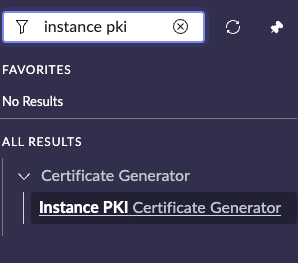
During the Log Export Service (LES) installation on ServiceNow, one of the guided setup steps is to use the Instance Certificate Generator and create two .p12 (PKCS#12) files. I’ve been talking about and using these files for years, and finally sat down to see what is actually inside of each one. In this post, we’ll crack open both files and walk through every certificate: what it does, who issued it, and how it all chains together. We’ll also cover the commands to inspect your own.
Like some other posts I’ve made recently, I had Claude AI enhance my draft with some technical details and tidy up some of the formatting along the way.
The following process was created using a Yokohama instance.
The Two Files
| File | Purpose | Contents |
|---|---|---|
leskeystore.p12 |
Client authentication: proves who you are to the Kafka broker. | 1 private key + 2 certificates (leaf + issuing CA) |
lestruststore.p12 |
Transport layer: tells your client which servers to trust, equal to HTTPS/TLS. | 3 CA certificates (no private keys) |
This is a very common mutual TLS (mTLS) setup. The keystore authenticates the client. The truststore validates the server.
Inside leskeystore.p12
Certificate 1: Client Certificate (Leaf)
This is the identity certificate, the one paired with the private key. When your LES consumer connects to the Kafka broker, this cert is presented during the TLS handshake.
| Attribute | Value |
|---|---|
| Friendly Name | private_key |
| Subject CN | psxlogexportstage.service-now.com |
| Subject O | servicenowco500 |
| Subject GN | Customer-Kafka |
| Subject UID | {v:2,h:{v:1,r:[*],rw:[]}} |
| Issuer | InstancePKI-Issuing-CA (psxlogexportstage.service-now.com) |
| Valid | Mar 26, 2026 to Mar 25, 2028 (2 years) |
| Serial | 2DE49F9BE8235C13E41E50E6C2ECDA6DFC |
| SHA1 Fingerprint | D2:84:28:4D:96:6C:0B:88:DD:CA:C4:DC:9C:63:9B:23:A9:47:26:EB |
| Public Key | RSA 2048-bit |
| Signature Algorithm | ECDSA with SHA-384 |
| Key Usage | Digital Signature, Key Encipherment (critical) |
| Extended Key Usage | TLS Web Client Authentication, 1.3.6.1.4.1.56079.2.2.21.1 |
| Private Key | Yes (RSA 2048-bit) |
Worth noting:
- The UID field appears to mirror encoded permissions directly in the certificate subject.
r:[*]means read all topics,rw:[]means no write access. - Extended Key Usage appears to use a custom “OID” (
1.3.6.1.4.1.56079) which is likely registered to ServiceNow. This extended key usage value is proprietary and specific to LES authorization. - Hybrid algorithm chain. The leaf cert uses RSA-2048, signed by an EC P-384 issuing CA. Cross-algorithm signing allows modern elliptic curve crypto at the CA level while keeping broad client compatibility with RSA at the leaf.
Certificate 2: Instance PKI Issuing CA (Intermediate)
This is the CA that signed the client certificate. It’s specific to your ServiceNow instance.
| Attribute | Value |
|---|---|
| Friendly Name | CA Root |
| Subject CN | psxlogexportstage.service-now.com |
| Subject GN | InstancePKI-Issuing-CA |
| Issuer | ServiceNow Customer Instance Root CA - G1 (ServiceNow, Inc., US) |
| Valid | Dec 2, 2024 to Nov 30, 2034 (10 years) |
| Serial | 12E5EFC59E77B154F6791609A12EF8E050B3A45F |
| SHA1 Fingerprint | 3C:61:00:5C:59:85:9A:4B:1B:87:12:8D:24:39:9F:A0:86:54:DE:8F |
| Public Key | EC 384-bit (P-384 / secp384r1) |
| Signature Algorithm | SHA-256 with RSA |
| Key Usage | Digital Signature, Certificate Sign, CRL Sign (critical) |
| Extended Key Usage | TLS Web Client Authentication, 1.3.6.1.4.1.56079.2.2.20 |
| SAN | DNS:psxlogexportstage.service-now.com |
| CA | Yes |
Worth noting:
- Each instance gets its own issuing CA. The CN matches your instance name. ServiceNow’s PKI hierarchy: Global Root CA > Per-Instance Issuing CA > Client Certificates.
- 10-year validity on the intermediate vs. 2 years on the leaf. The CA rotates far less frequently than the client certs it issues.
- A CRL distribution point is embedded in the cert, pointing back to the instance’s own revocation endpoint. ServiceNow can revoke client certs at the instance level.
Trust Chain (Keystore)
ServiceNow Customer Instance Root CA - G1 (Global root, RSA)
└── psxlogexportstage.service-now.com / InstancePKI-Issuing-CA (Per-instance, EC P-384)
└── psxlogexportstage.service-now.com / Customer-Kafka (Client leaf, RSA 2048)
Inside lestruststore.p12
The truststore contains no private keys. Only the CA certificates needed to validate the Kafka broker’s TLS certificate during the handshake.
Certificate 1: Entrust Intermediate CA
| Attribute | Value |
|---|---|
| Friendly Name | Entrust certificate |
| Subject CN | Entrust Certification Authority - L1K |
| Issuer CN | Entrust Root Certification Authority - G2 |
| Valid | Oct 5, 2015 to Dec 5, 2030 |
| Serial | 0EE94CC30000000051D37785 |
| SHA1 Fingerprint | F2:1C:12:F4:6C:DB:6B:2E:16:F0:9F:94:19:CD:FF:32:84:37:B2:D7 |
| Public Key | RSA 2048-bit |
| Key Usage | Certificate Sign, CRL Sign (critical) |
| CA | Yes, pathlen:0 |
Certificate 2: DigiCert Intermediate CA
| Attribute | Value |
|---|---|
| Friendly Name | DigiCert Issuing certificate |
| Subject CN | DigiCert Global G2 TLS RSA SHA256 2020 CA1 |
| Issuer CN | DigiCert Global Root G2 |
| Valid | Mar 30, 2021 to Mar 29, 2031 |
| Serial | 0CF5BD062B5602F47AB8502C23CCF066 |
| SHA1 Fingerprint | 1B:51:1A:BE:AD:59:C6:CE:20:70:77:C0:BF:0E:00:43:B1:38:26:12 |
| Public Key | RSA 2048-bit |
| Key Usage | Digital Signature, Certificate Sign, CRL Sign (critical) |
| Extended Key Usage | TLS Web Server Auth, TLS Web Client Auth |
| CA | Yes, pathlen:0 |
Certificate 3: DigiCert Root CA
| Attribute | Value |
|---|---|
| Friendly Name | DigiCert Root certificate |
| Subject CN | DigiCert Global Root G2 |
| Issuer | Self-signed |
| Valid | Aug 1, 2013 to Jan 15, 2038 |
| Serial | 033AF1E6A711A9A0BB2864B11D09FAE5 |
| SHA1 Fingerprint | DF:3C:24:F9:BF:D6:66:76:1B:26:80:73:FE:06:D1:CC:8D:4F:82:A4 |
| Public Key | RSA 2048-bit |
| Key Usage | Digital Signature, Certificate Sign, CRL Sign (critical) |
| CA | Yes (root, no path length constraint) |
Worth noting:
- Two CA chains are present. Both Entrust and DigiCert. The Kafka broker infrastructure may present a server certificate signed by either CA depending on environment or region. Including both ensures your client trusts whichever it encounters.
- The DigiCert root is self-signed. This is the trust anchor. The Entrust root (G2) is absent from the truststore, but search for ‘contains G2’ in the sys_certificate table on your instance to find it.
- All three are CA certificates with
pathlen:0, meaning they can sign end-entity (server) certificates but cannot sign further intermediate CAs.
Trust Chain (Truststore)
Entrust Root Certification Authority - G2 (system trust store)
└── Entrust Certification Authority - L1K (in truststore)
└── [Kafka broker server cert]

DigiCert Global Root G2 (in truststore, self-signed)
└── DigiCert Global G2 TLS RSA SHA256 2020 CA1 (in truststore)
└── [Kafka broker server cert]
How It All Works Together
┌──────────────────────┐ TLS Handshake ┌──────────────────────┐
│ LES Consumer │ ◄────────────────────────────► │ Kafka Broker │
│ │ │ │
│ keystore.p12 │ Client presents: │ Server presents: │
│ ├─ Private Key │ ── Client Cert ──────────► │ ── Server Cert │
│ ├─ Client Cert │ ── Issuing CA ───────────► │ ── Signed by │
│ └─ Issuing CA │ │ Entrust or │
│ │ Server presents: │ DigiCert │
│ truststore.p12 │ ◄── Server Cert ────────── │ │
│ ├─ Entrust CA │ Client validates against │ │
│ ├─ DigiCert Int CA │ truststore CAs │ │
│ └─ DigiCert Root CA │ │ │
└──────────────────────┘ └──────────────────────┘
Both sides authenticate. The broker verifies your client cert was issued by ServiceNow’s Instance PKI. Your client verifies the broker’s cert was issued by a trusted public CA (Entrust or DigiCert).
Inspect Your Own Keystores
If you’re troubleshooting LES connectivity, start by verifying what’s actually inside your keystore and truststore files. Two ways to do it:
Option 1: keytool (ships with Java)
If you have Java installed, keytool is already available. Fastest way to get a full summary.
List everything with full details:
keytool -list -v -keystore leskeystore.p12 -storetype PKCS12
You’ll be prompted for the keystore password. The output shows every entry with its alias, certificate chain, validity dates, fingerprints, and key usage.
Quick count (just the aliases):
keytool -list -keystore leskeystore.p12 -storetype PKCS12
One line per entry. Useful to confirm how many certs are inside and what they’re named.
Option 2: openssl (no Java required)
openssl works on virtually any system and gives you more granular control.
Dump all certificates (human-readable):
openssl pkcs12 -in leskeystore.p12 -nokeys | openssl x509 -noout -text
This shows the full parsed output of the first certificate. To see all certs including bag attributes (friendly names), drop the second pipe:
openssl pkcs12 -in leskeystore.p12 -nokeys
Quick summary (subject, issuer, dates, fingerprint, key usage):
openssl pkcs12 -in leskeystore.p12 -nokeys 2>/dev/null \
| openssl x509 -noout -subject -issuer -dates -fingerprint \
-ext keyUsage,extendedKeyUsage
Check if a private key is present (keystore vs. truststore):
openssl pkcs12 -in leskeystore.p12 -nocerts -passout pass:temp 2>/dev/null | head -5
If you see -----BEGIN ENCRYPTED PRIVATE KEY-----, it’s a keystore (identity + key). If the output is empty, it’s a truststore (CA certs only).
What to Check When Troubleshooting
| Symptom | What to inspect |
|---|---|
| Connection refused / handshake failure | Is the client cert expired? Check notAfter date |
| “Certificate unknown” error | Is the issuing CA included in the keystore? Should be 2 certs, not 1 |
| Server cert validation failure | Does the truststore contain the right CA chain for the broker? |
| “Bad certificate” from broker | Is the private key present in the keystore? Check with -nocerts |
| Permission denied on topics | Check the UID field on the client cert for r: and rw: scoping |
Key Takeaways
- LES uses mutual TLS. Both client and server authenticate via certificates. Two files, two roles.
- ServiceNow runs its own PKI. Your client cert is issued by an instance-specific CA under ServiceNow’s root. This is internal to the platform, not a public CA.
- Permissions are baked into the cert. The UID field on the client certificate encodes read/write access to Kafka topics. Enforced at the TLS layer, on top of broker ACLs.
- The truststore covers multiple CAs. Entrust and DigiCert are both present because the Kafka broker infrastructure may use either, depending on environment.
- Client certs expire in 2 years. If your LES stops working after a long quiet period, check the leaf cert’s
notAfterdate first.